
Back to GuideSign in to Posora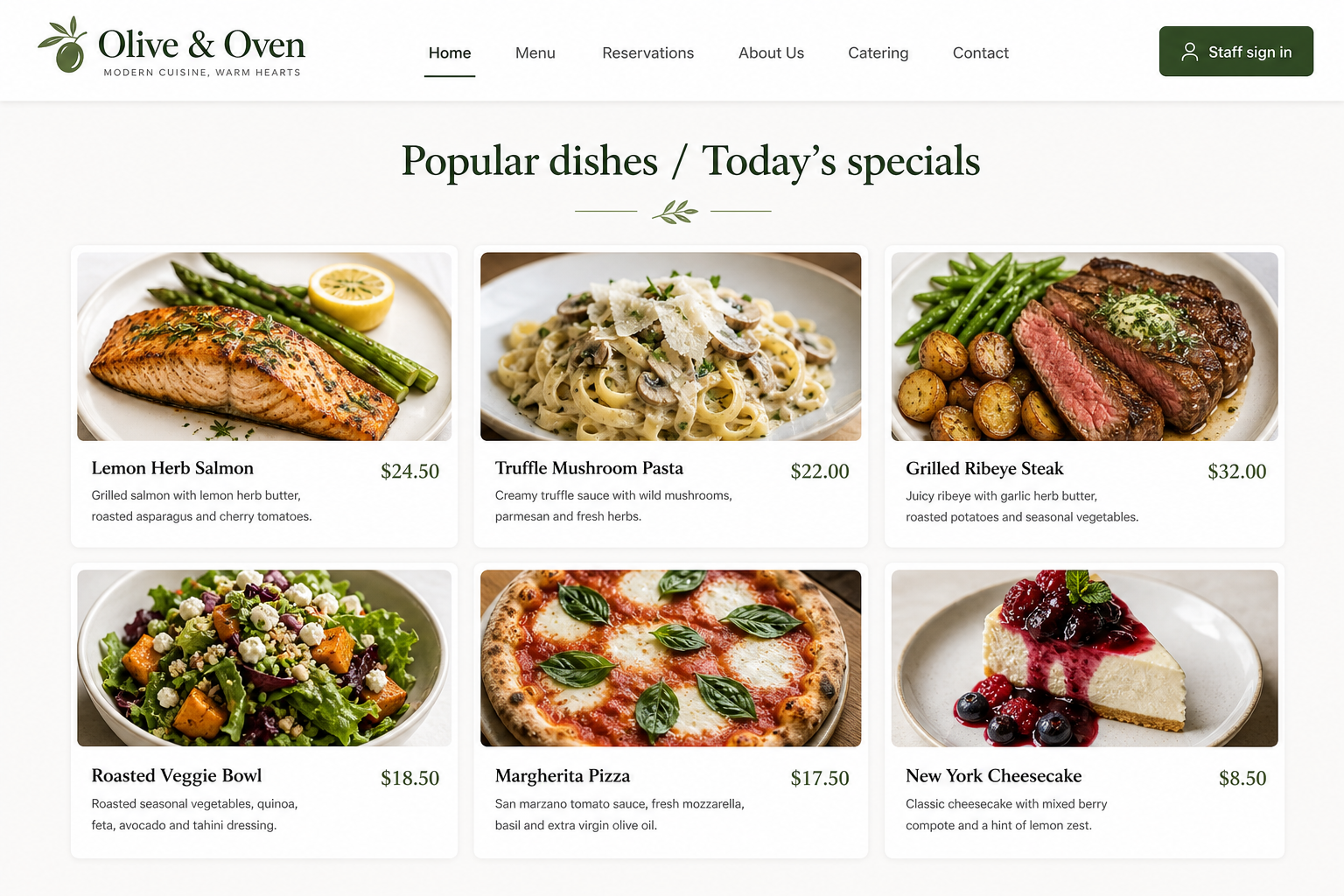
Restaurant homepage — up to 6 popular dishes / today’s specials
Today’s specials on your website
Feature up to 6 dishes on your restaurant subdomain homepage — unlike typical POS tools that only give a blank login page.
For Owners, managers
Step-by-step
- 1Open Menu → edit a dish you want to highlight.
- 2Turn on Show on homepage (Popular / today’s special).
- 3Feature at most 6 items — the app blocks a 7th until you uncheck another.
- 4Visit your subdomain (e.g. your-name.posora.co) — guests see Popular dishes with photos and prices.
- 5Guests order via general or table QR (QR Menu); the homepage is your storefront, not a full online menu cart.
Tips
- • Pick bestsellers with clear photos — this is what walk-ins see before scanning a QR.
- • Other POS platforms rarely give you a branded homepage with live specials; Posora includes this for every restaurant.