
Back to GuideSign in to Posora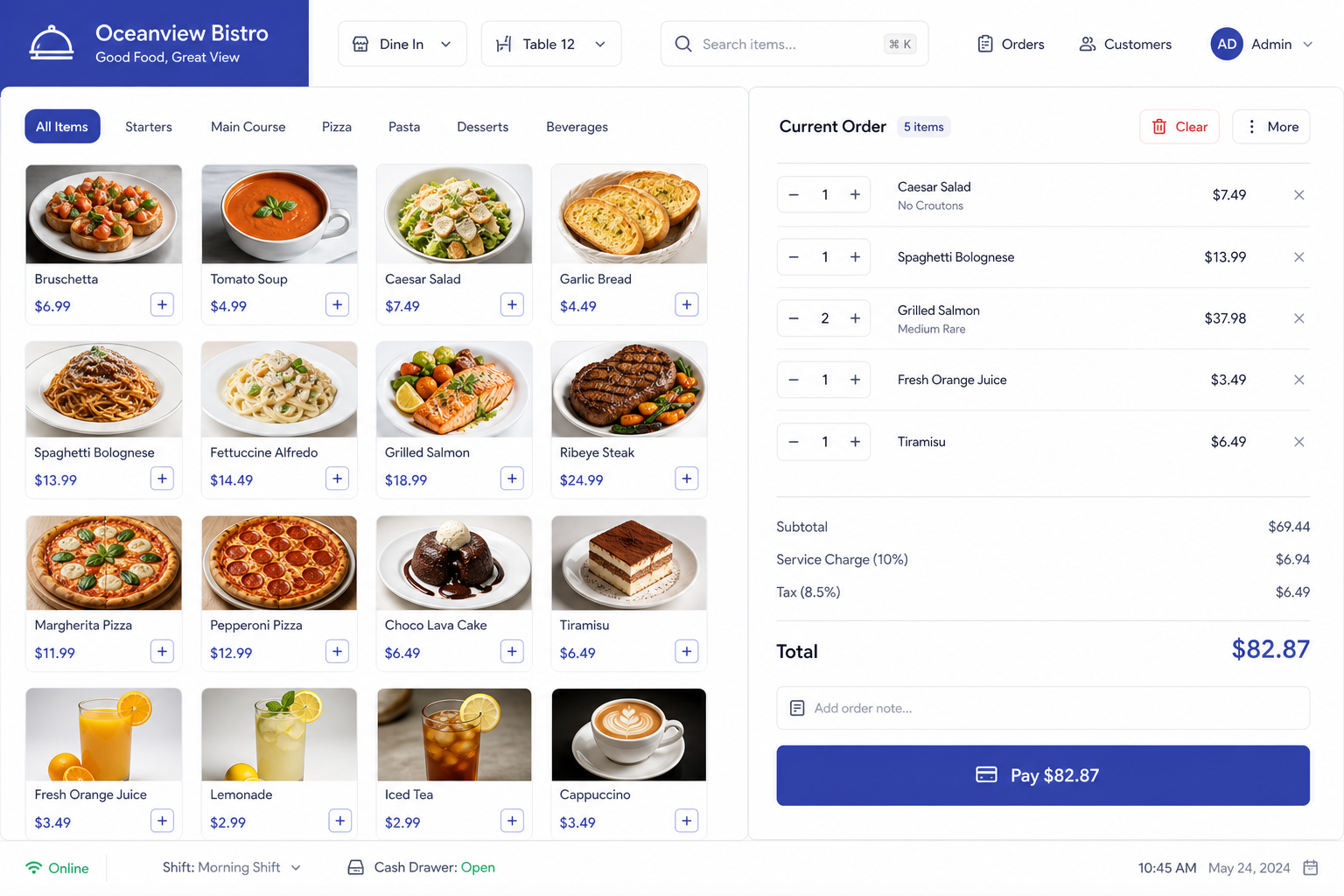
POS billing — menu grid and cart checkout
Take an order on POS
Ring up dine-in or takeaway, attach a guest, and collect payment.
For Cashiers, waiters, managers
Step-by-step
- 1Open POS Billing from the sidebar.
- 2Choose Dine-in (pick a table) or Takeaway.
- 3Add menu items from the grid; adjust qty as needed.
- 4Optionally add a customer phone so WhatsApp / loyalty can work after payment.
- 5Tap Pay, choose Cash / UPI / Card (or Razorpay if enabled), then confirm.
- 6Print or share the branded receipt.
Tips
- • Without a mobile number, WhatsApp payment messages cannot be sent.
- • Split payments are available when you add more than one tender.