
Back to GuideSign in to Posora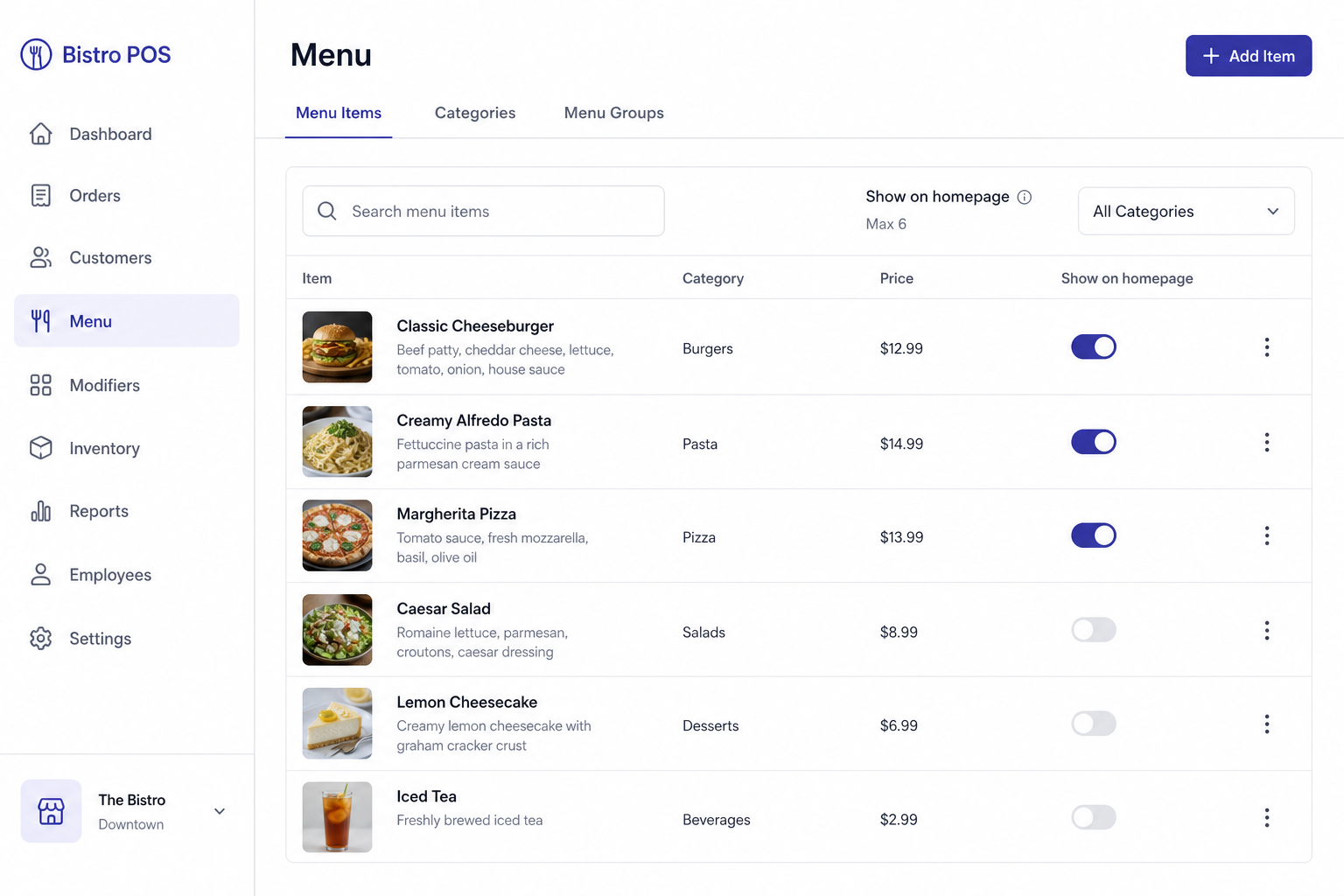
Menu editor — item details and homepage feature toggle
Manage menu items
Create categories and items, set prices, images, and availability.
For Owners, managers
Step-by-step
- 1Open Menu from the sidebar.
- 2Create categories (and optional kitchen stations).
- 3Add items with name, price, description, and image.
- 4Toggle availability when an item is out of stock.
- 5Save — changes appear on POS, QR menu, and your public homepage (if featured).
Tips
- • Turn on Track Inventory only for items you want to deduct from stock.
- • Recipes live on the menu item — not as a separate Inventory page.